Most kids who want to make games start in the wrong place. They want to build the next Minecraft, open a game engine, and stall within ten minutes because they don't yet know what a game is made of.
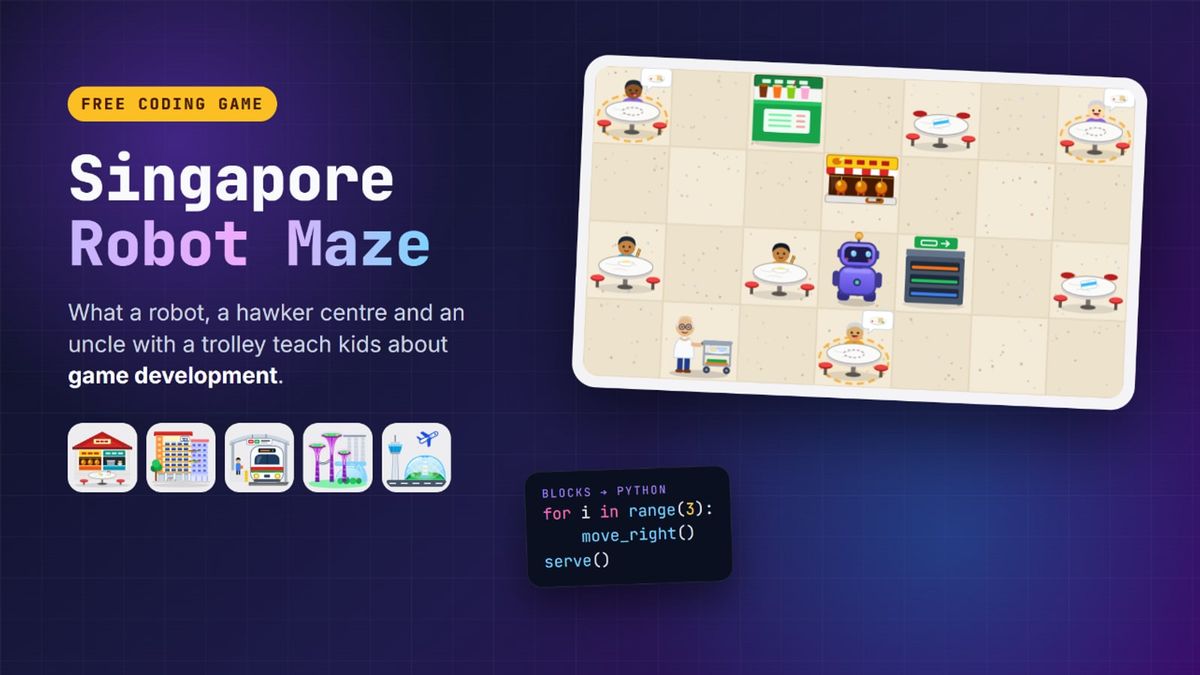
So we built something smaller first: the Singapore Robot Maze, a free block-coding game where kids guide a robot through a hawker centre, an HDB void deck, an MRT station, Gardens by the Bay and Changi Airport. It's a coding game on the surface. Underneath, every level is a small lesson in how games themselves are designed.
Quick Answer: Game development for kids works best when they understand the parts of a game before they try to build a whole one: levels, rules, enemies that follow patterns, timers, win conditions and scoring. The free Robot Maze lets kids aged 6 to 12 play with all of those in 35 short levels, with no sign-up. From there, Roblox (ages 7 to 12) and Construct 3 (ages 12 to 17) are the natural next step to building and publishing their own games.
What Is the Singapore Robot Maze?
It's a puzzle game played with code blocks. Each level gives the robot a job, like delivering chicken rice to the right table or watering every plant along a void deck corridor, and kids snap together blocks such as "move right", "repeat 3 times" or "if the gates are shut, wait". Press Run, and the robot does exactly what the blocks say, which is not always what the player meant.
There are five worlds, each built around one big programming idea: sequencing, loops, conditions, functions, and finally all four together. Every level has three stars for solving it with the fewest blocks, and a "Show me the Python" button turns any solution into real Python code.
That's the coding side. The game development side is in how the levels are built, and that's worth pointing out to your child while they play.
Lesson 1: A Game Is a Set of Rules
Before graphics, before characters, a game is rules. In the Hawker Centre, the rules are simple: you can't walk through tables, you have to pick up a tray before you can serve it, and you can only carry one tray at a time.
Those three rules are what make the puzzles interesting. Take away "one tray at a time" and the two-order levels become trivial. Game designers spend most of their time on exactly this question: which rules make the decisions interesting? It's a good one to ask a child after they finish a world. What would happen if we changed this rule?
Lesson 2: Enemies Follow Patterns
In the Hawker Centre, an uncle pushes a trolley of dirty plates up and down the same path, over and over. Bump into him and the run ends.
He is a classic patrolling enemy, the same idea as the ghosts in Pac-Man or the guards in a stealth game. He doesn't think. He follows a route on a fixed timer. The skill the player learns is to watch the pattern, then plan around it. Kids who play the maze start doing this without being told: they press Run, watch where the uncle is when they get bumped, and change their path.
When those same kids later build their own games, they already know that a good enemy is a readable one. An enemy that moves randomly feels unfair. One that moves in a pattern the player can learn feels like a puzzle.
Lesson 3: Timers Create Tension
At the MRT Station, fare gates and train doors open and shut on a timer. Walk into a shut gate and you crash. The levels teach "if" and "else", but they also teach how games use timing to create pressure.
Behind the scenes, every gate is in one of two states, open or shut, and the game switches between them on a schedule. That's called game state, and it's everywhere in real games: a door that's locked or unlocked, a boss that's in its attack phase or resting, a power-up that's active for ten seconds. Kids who have waited for an MRT door in the maze have already met the idea.
Lesson 4: Good Levels Teach One Thing at a Time
Every world in the maze introduces one new idea in level 1, uses it in a slightly harder way in each level after, and combines it with something tricky by level 6. The first loop level is just "walk to the lift". By the end of the world, kids are putting a loop inside another loop.
That's how good games teach without tutorials. Nintendo is famous for it: the first screen of a Mario game safely teaches you to jump before any level asks you to jump over something dangerous. When children design their own levels, this is the hardest lesson to learn, and the most useful. Their first level is usually brutally hard, because they already know the solution.
For what it's worth, we hold ourselves to that rule too. Every level in the maze has a reference solution, and before the site is even built, a program plays every level to check it can be finished in the number of blocks we promise. Professional studios call that automated testing. It means no child gets stuck on a level that is quietly impossible.
Lesson 5: Scoring Is Why People Replay
Any solution finishes a level. Three stars need the shortest one, and three-starring all six levels in a world unlocks a secret bonus level.
That small system is the reason kids go back. They've already solved the level, but now they're hunting for a shorter way, which is exactly the habit good programmers have. Stars, high scores, unlockables and speedruns all work the same way in real games: they give a finished level a reason to be played again.
Try This: Design Your Own Level
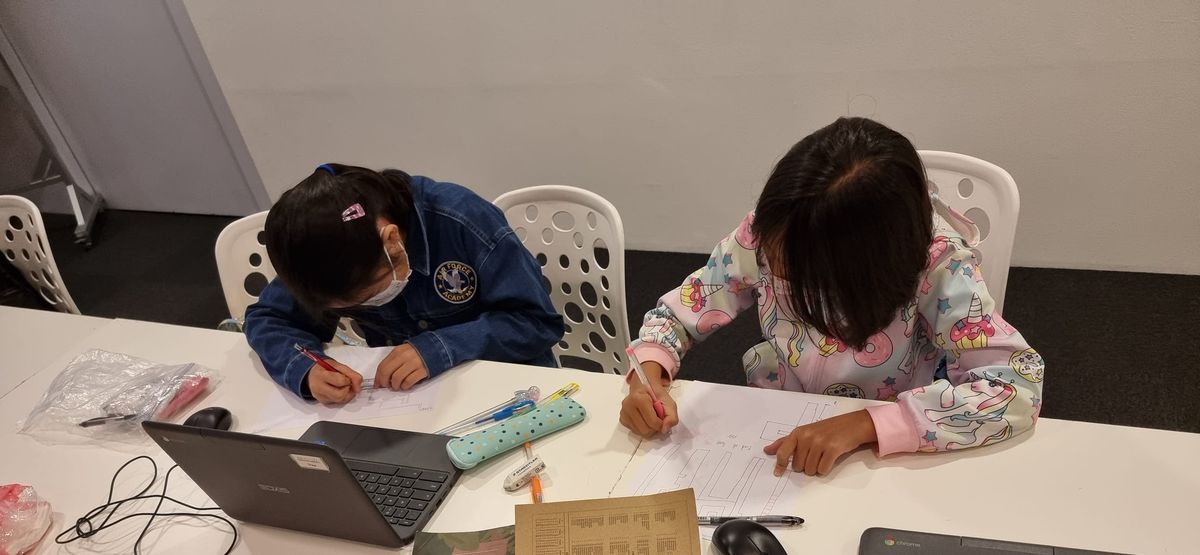
The best way to understand level design is to do it. You need squared paper, a coin for the robot, and ten minutes:
- Draw a 6 × 6 grid. Mark where the robot starts and where it needs to go.
- Add walls, then one thing to collect or deliver on the way.
- Add one rule, like "you must visit the stall before the table" or "this square is only open every other turn".
- Write the solution as a list of arrows. That's the program.
- Swap with a friend. Watch them try it without helping. Wherever they get stuck is where your level needs work.
Step 5 is playtesting, and it's the most important skill in game development. Our free printable unplugged maze has ready-made boards and arrow cards if you'd rather not draw your own, and teachers can use the free lesson plans to run it with a whole class.
From Robot Maze to Real Game Development
The maze is a warm-up. Once a child enjoys planning and debugging, the next step is building games of their own that other people can play.
Ages 7 to 12: Roblox. Kids already know the platform, and Roblox Studio is a real game engine. In our Roblox game development course, students script with Luau, a text-based language, and finish by publishing a game their friends can play from a single link. Everything from the maze carries straight across: patrolling obstacles, timers, scoring and win conditions are the building blocks of every obby. Our guide to Roblox coding for kids explains what they learn and whether it's real coding (it is).
Ages 12 to 17: Construct 3. Teens who want more control over how a game looks and feels move to our game development course with Construct 3. They build platformers and top-down games, manage health, timers and game state, and finish with an original game published to the web. Our post on game development for teens is honest about what it does and doesn't lead to.
Getting Started
The first level of the Robot Maze takes about a minute and needs no sign-up, no download and no account. It works on laptops, Chromebooks and iPads. Try it with your child and see which part they enjoy more: solving the puzzle, or wondering how they'd design a harder one.
If it's the second, that's a game developer in the making. Every DotCode course starts with a free 45-minute trial class, in person at our Jurong East studio or live online. Book one and let them build something of their own.